Feature #22831
closed

Support for downloading multiple files as a zip file
Description
In the Workbench file browser, a new menu item in the upper right three dot menu (separate note, we should think about converting this to a toolbar, but not for this ticket):
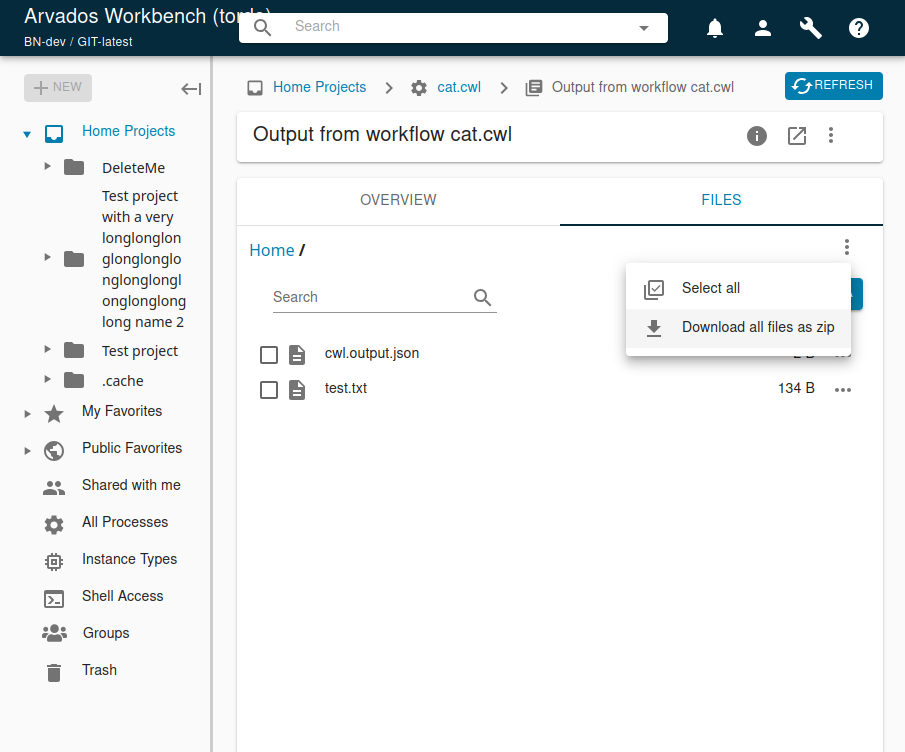
If nothing is selected:
- User can select "Download entire collection as zip"
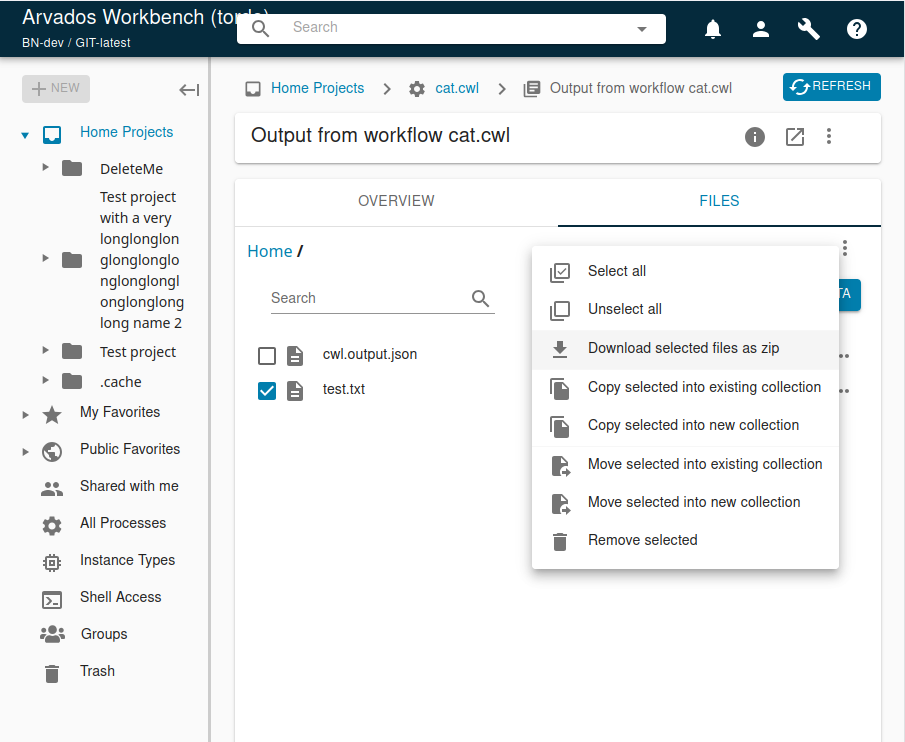
If one or more files or directories are selected:
- User can select "Download selected files as zip" from the file menu
No reason for both items to be visible at once, so either it is a single "Download as zip" menu item, or the menu adjusts based on whether something is selected or not.
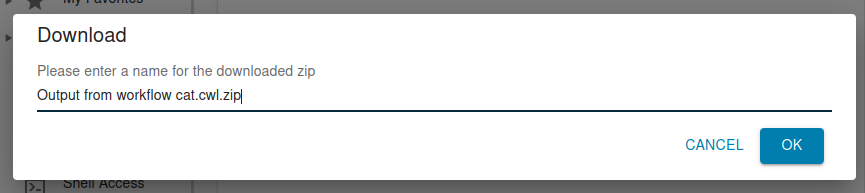
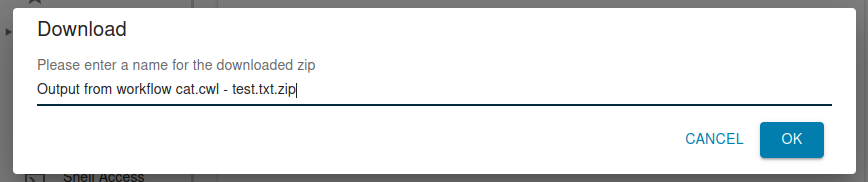
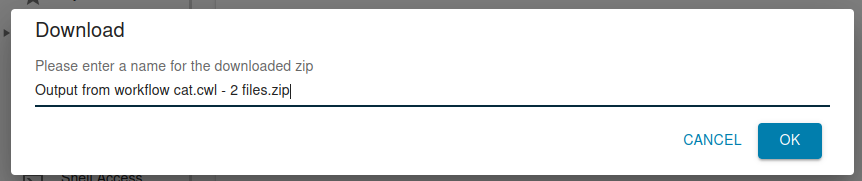
Clicking on the menu item should open a dialog box with a text box and ok/cancel buttons. The text box should be pre-populated with a default filename that the zip file will be downloaded as.
The default filename should be generated following the logic described on the ticket #22076 (but not the part where we add a hash derived from the file listing).
The user has the opportunity to edit the filename and then click OK to accept the filename. Clicking either button dismisses the dialog box; OK begins the download, cancel means nothing happens.
If no files are selected, Workbench shall send a GET request to the collection URL in keep-web following the protocol described on #22076 with "Accept: application/zip" and keep-web will respond with the zipfile.
If any files are selected, Workbench shall send a POST request to keep-web following the protocol described on #22076 (which will be added to the API documentation as soon as that ticket merges) with "Accept: application/zip" and the list of files that the user has requested, and keep-web will respond with the zipfile.
Files
 Updated by Peter Amstutz 11 months ago
- Blocked by Feature #22076: keep-web can create a zipfile on the fly of a collection added
 Updated by Brett Smith 9 months ago
- Target version changed from Development 2025-06-25 to Development 2025-07-09
 Updated by Stephen Smith 9 months ago
- Blocked by Idea #22985: Support accept=application/zip query param alternative for collection zip download added
Updated by Stephen Smith 9 months ago
- File Screenshot_20250708_143221.png Screenshot_20250708_143221.png added
- File Screenshot_20250708_143208.png Screenshot_20250708_143208.png added
- File Screenshot_20250708_143151.png Screenshot_20250708_143151.png added
- File Screenshot_20250708_143136.png Screenshot_20250708_143136.png added
- File Screenshot_20250708_143122.png Screenshot_20250708_143122.png added
Screenshots added for interface review, branch at 22831-zip-download arvados|cffaf45f024c93360fbb6054bb374db7b4fa2401
No files selected download all context menu
No files selected download all filename dialog
1 file selected context menu
1 file selected filename dialog with default
Multiple files selected filename dialog with default
Updated by Brett Smith 9 months ago
Stephen Smith wrote in #note-15:
Screenshots added for interface review, branch at 22831-zip-download arvados|cffaf45f024c93360fbb6054bb374db7b4fa2401
I'm satisfied with this, thank you.
You mentioned that you're using "the same filename validation" that we use everywhere else. Just checking: is that function validating filenames that we upload to collections? The rules for Keep filenames are a little stricter than other filesystems, and shouldn't necessarily apply to files that are downloaded.
Personally I am comfortable leaning on the browser to clean up the filename, especially because what's allowed varies by OS and I don't think it's worth it to cover all those variations. So IMO we don't need to do any validation beyond enforcing the .zip extension (and I'd be okay dropping even that as long as the default suggested filename ends in .zip).
That said, I also don't think it's a big deal if we're a little overly strict here either. So if it's easier to just leave it, that's fine, and maybe we can make a follow-up ticket to reassess if needed.
Updated by Brett Smith 9 months ago
- Target version changed from Development 2025-07-09 to Development 2025-07-23
Updated by Stephen Smith 8 months ago
Just putting this for posterity, the WB file validation only checks for leading and trailing whitespace, so that and ending in .zip is the only thing checked for the zipfile download. The browser does seem to replace invalid characters with _
Updated by Stephen Smith 8 months ago
Changes at arvados|e5a17ecc7eea79ba90a9627b921ce7869c389faf branch 22831-zip-download-rebase2
Tests developer-run-tests-services-workbench2: #1550
- All agreed upon points are implemented / addressed. Describe changes from pre-implementation design.
- Adds collection browser options menu options for download all / selected as zip
- Adds zipfile file name entry dialog
- Uses validation to enforce no leading/trailing whitespace and a .zip extension
- Pre-fills the filename with the collection name + single file name or file count
- Triggers file download using the zip download API
- In order to use browser native file download, this uses an html form appended to the body instead of ajax - saving us from having to manually handle received data. This also makes it easier to construct the parameters, but the downside is that not using ajax prevents setting custom headers of any kind
- Because the token is in the url parameter of the form action (due to not using ajax to put it in headers instead), the request is subject to the token redirect which sets the token cookie and redirects to the same url without the token - this doesn't work with POST requests (where the request body gets lost) so we use GET
- Added tests for none(all), single, and multi file selection to verify pre-populated name
- Also tests the outgoing zip download request to ensure correct filename and file list is sent
- I opted not to verify the contents of the zip since the backend already has some tests, figuring that making sure WB sends the correct request should be enough
- Anything not implemented (discovered or discussed during work) has a follow-up story.
- none
- Code is tested and passing, both automated and manual, what manual testing was done is described.
- Tested manually with all files download, single, and multi
- The tested code incorporates recent main branch changes.
- Just rebased onto main
- New or changed UI/UX has gotten feedback from stakeholders.
- no changes
- Documentation has been updated.
- n/a
- Behaves appropriately at the intended scale (describe intended scale).
- Should work up to the GET request url param limit, which should be in the hundreds. Selecting folders isn't subject to this limit so it would only impact downloads with many separately selected items
- Considered backwards and forwards compatibility issues between client and server.
- none
- Follows our coding standards and GUI style guidelines.
- yes
Updated by Brett Smith 8 months ago
- Target version changed from Development 2025-07-23 to Development 2025-08-06
 Updated by Lisa Knox 8 months ago
- When selecting downloading files that are in a subfolder, the name is correct (the collection name + the file name.zip) but what is downloaded is the entire folder structure leading to the selected files with the selected files nested within. I think we probably want to download just the files themselves without all the parent dirs, or at the very least indicate in the file name (e.g. collection name + foo/bar/baz.zip) that we are downloading the files as nested.
- After navigating to a nested subfolder, if I select "Download all files as zip", it will download the entire collection even though I can only see the files in the current directory and the parent directory. This makes the meaning of "all files" unclear. I suggest changing "Download all files as zip" to "Download entire collection as zip" to more clearly tell the user what is happening.
- The changes in #19378 are not reflected here and might conflict (just a guess) so I would like to see another merge with main.
- Code-wise, everything looks great. Appending and not rendering an html form so we can use the submission is really clever.
Updated by Brett Smith 8 months ago
Lisa Knox wrote in #note-21:
- When selecting downloading files that are in a subfolder, the name is correct (the collection name + the file name.zip) but what is downloaded is the entire folder structure leading to the selected files with the selected files nested within. I think we probably want to download just the files themselves without all the parent dirs, or at the very least indicate in the file name (e.g. collection name + foo/bar/baz.zip) that we are downloading the files as nested.
Based on this description, I am fine with where the branch currently is.
- We'll probably get user feedback on this, but I can imagine that at least some users would prefer to get the entire folder structure. Our users often have important metadata in the directory structure and it's nice not to lose it.
- Option 2 is a nice thought but since you can't, e.g., put
/in a Unix filename, I don't think it's obvious how to translate the full directory path to a filename. Given that there's no obvious option, I think having just the filename is as good as any.
- After navigating to a nested subfolder, if I select "Download all files as zip", it will download the entire collection even though I can only see the files in the current directory and the parent directory. This makes the meaning of "all files" unclear. I suggest changing "Download all files as zip" to "Download entire collection as zip" to more clearly tell the user what is happening.
I like this suggestion too.
Updated by Stephen Smith 8 months ago
Changes at arvados|32a11c925f0b701b99763980706cd0aad3df7ca1
Tests developer-run-tests-services-workbench2: #1552
- So it sounds like we're keeping the current naming and nested folder behavior
- I changed the download all files text to "Download entire collection as zip"
- Merged in main
Updated by Stephen Smith 8 months ago
- Status changed from In Progress to Resolved